Blog

Here are some posts we have written. Enjoy and savor.

testimonials-banner-img

Why Healthcare AI Projects Fail Before They Even Begin (Hint: It’s the Data)

Artificial intelligence has become one of the most talked-about technologies in healthcare. From predictive analytics and clinical decision support to automated documentation and revenue cycle optimization, AI promises to improve efficiency, reduce administrative burden, and help organizations make better decisions.

Healthcare executives recognize the opportunity. According to numerous industry surveys, AI adoption continues to accelerate as organizations search for ways to improve patient outcomes while managing rising costs and increasing regulatory demands.

Yet despite the excitement, many healthcare AI initiatives never move beyond a pilot project.

The common assumption is that the technology isn’t mature enough or that organizations simply haven’t found the right AI solution.

In reality, the biggest obstacle isn’t artificial intelligence.

It’s the data

AI Doesn’t Create Good Data—It Depends on It

One of the biggest misconceptions surrounding AI is that it can magically solve messy data
problems.

It can’t.

Artificial intelligence learns from the information it’s given. If that information is incomplete, inconsistent, duplicated, or scattered across multiple systems, the results will be equally unreliable.

Healthcare organizations produce enormous amounts of information every day:

  • Electronic Health Records (EHRs
  • Revenue cycle systems
  • Billing platforms
  • Payer portals
  • Laboratory systems
  • Imaging applications
  • Scheduling software
  • Population health platforms
  • Patient engagement tools
  • Third-party applications

Each system captures valuable information.
Very few tell the complete story on their own.
Without a unified view of this information, AI models are forced to work with fragmented data, limiting their ability to generate meaningful insights.

The Reality of Healthcare Data Today

Most healthcare organizations didn’t intentionally create disconnected data environments.

They evolved over time.

A hospital may have implemented an EHR years ago, added specialized applications for
imaging or laboratory services, adopted new revenue cycle software, acquired physician groups
with different systems, and integrated additional technologies through mergers and acquisitions.

The result is an ecosystem where data exists in dozens of locations.

For analysts and executives, this creates an all-too-familiar process:

  • Extract reports from one system.
  • Download spreadsheets from another.
  • Manually reconcile conflicting numbers.
  • Build custom reports.
  • Validate results.
  • Repeat next month.

This process consumes countless hours while introducing unnecessary risk and delaying
decision-making.

When Fragmented Data Becomes a Business Problem

Disconnected data isn’t simply an IT issue.

It directly impacts financial performance, operational efficiency, and patient care.

Consider a few common scenarios.

Revenue Cycle Teams

Denied claims begin increasing.

The information needed to identify root causes exists across billing systems, payer portals, and
EHR data, but no single dashboard brings it together.

By the time analysts identify the trend, revenue has already been affected

Clinical Leadership

Quality improvement initiatives require data from multiple departments.

Instead of evaluating outcomes, teams spend weeks preparing reports.

Opportunities to improve care are delayed because the reporting process is too manual.

Executive Leadership

Leadership asks a simple question during a meeting:

“What were our denial rates by payer over the last quarter?”

Instead of receiving an immediate answer, multiple departments begin collecting spreadsheets.

Days later, different reports contain different numbers.

Confidence in the data begins to erode.

AI Isn’t Step One—It’s Step Three

Many organizations approach AI as the first step in their digital transformation journey.

In reality, it should be one of the last.

Before AI can deliver meaningful value, organizations need:

  1. Connected data
  2. Trusted, governed data
  3. AI-powered analytics

Skipping the first two steps often results in stalled projects, frustrated stakeholders, and
disappointing outcomes.

Organizations that experience the greatest success with AI almost always begin by modernizing
their data infrastructure

Building a Modern Healthcare Data Foundation

Fortunately, becoming AI-ready doesn’t require replacing existing technology investments.

Modern healthcare data platforms are designed to connect—not replace—the systems
organizations already rely on.

These platforms integrate data from

  • Epic
  • Cerner
  • athenahealth
  • Revenue cycle systems
  • Financial applications
  • Payer platforms
  • Operational systems
  • Third-party healthcare applications

Once integrated, organizations gain a centralized, trusted source of information that supports
reporting, analytics, automation, and artificial intelligence.

Instead of asking where the data lives, teams can focus on using it.

What an AI-Ready Organization Looks Like

Organizations with mature data foundations operate differently.

Executive dashboards update automatically.

Revenue cycle leaders monitor denial trends in near real time.

Analysts spend less time preparing reports and more time identifying opportunities.

Clinical and operational leaders work from the same trusted information.

AI becomes an extension of existing workflows instead of another disconnected technology.

This shift transforms data from a reporting requirement into a strategic asset.

AI Opportunities Expand When Data Improves

Once organizations establish a strong data foundation, AI can support initiatives across the
enterprise.

Examples include:

Once organizations establish a strong data foundation, AI can support initiatives across the
enterprise.

Examples include:

Revenue Cycle Optimization

Identify denial trends before they become costly, monitor payer performance, and forecast
reimbursement challenges.

Operational Analytics

Predict staffing needs, identify workflow bottlenecks, and optimize resource allocation.

Executive Decision Support

Provide leadership with timely insights that support strategic planning and operational
improvements.

Quality Reporting

Automate repetitive reporting processes while improving consistency and reducing analyst
workload.

Predictive Analytics

Identify patterns that help organizations proactively manage risk, improve patient outcomes, and
support value-based care initiatives.

In each case, AI delivers value because it is built upon reliable, connected information.

Governance Matters Just as Much as Technology

Healthcare data requires more than accessibility.

It requires governance.

Organizations preparing for AI should also establish clear standards around:

  • Data quality
  • Security
  • HIPAA compliance
  • Access controls
  • Metadata management
  • Data stewardship

Strong governance builds trust in the data while supporting responsible AI adoption.

Without governance, even the most sophisticated analytics platforms struggle to deliver reliable
insights.

The Future Belongs to Data-Driven Healthcare
Organizations

Artificial intelligence will continue transforming healthcare.

But AI alone won’t solve operational challenges.

Organizations that achieve lasting success recognize that every AI initiative begins with a solid
data foundation.

By connecting fragmented systems, modernizing data architecture, and creating trusted
analytics environments, healthcare organizations position themselves to improve financial
performance, enhance operational efficiency, and deliver better patient outcomes.

The organizations leading healthcare’s next chapter won’t simply adopt more AI.

They’ll build the data foundation that allows AI to succeed.

Key Takeaways

  • AI initiatives succeed when built on trusted, connected healthcare data.
  • Fragmented systems create challenges that affect reporting, operations, and financial
    performance.
  • Modern healthcare data platforms integrate existing systems rather than replacing them.
  • Data governance is essential for responsible AI adoption.
  • Investing in data architecture today prepares organizations for tomorrow’s AI
    opportunities.

Frequently Asked Questions

Why do healthcare AI projects fail?

Most healthcare AI projects struggle because the underlying data is fragmented, inconsistent, or
inaccessible. AI systems rely on high-quality, connected data to produce accurate and
actionable insights

Do healthcare organizations need to replace their EHR to use AI?

No. Modern healthcare data platforms integrate with existing systems like Epic, Cerner, and
athenahealth, allowing organizations to leverage their current technology investments while
creating a unified data foundation.

What is a healthcare data platform?

A healthcare data platform centralizes information from clinical, financial, operational, and third-
party systems into a trusted environment for reporting, analytics, and AI applications.

How does better data improve financial performance?

Connected data provides greater visibility into revenue cycle performance, denial trends, payer
reimbursement, and operational metrics, helping organizations make faster, more informed
decisions.

Ready to Build an AI-Ready Data Foundation?

Artificial intelligence delivers the greatest value when it’s built on trusted, connected, and well-
governed data.

At Augment, we help healthcare organizations unify fragmented data, modernize analytics, and
create scalable data platforms that support better decisions, stronger financial performance, and
future AI initiatives.

Whether you’re looking to improve revenue cycle visibility, simplify reporting, or prepare your
organization for AI adoption, the right data foundation is the first step.

Ready to learn more? Contact Augment  to start building a smarter healthcare data
strategy

Four Common Roadblocks to Overcome when Building a Modular Data Platform

When selecting a data engineering partner, speed and lower cost may seem like the right choice, but what really counts is long-term performance. Speed and lower cost may seem like the right choice at the onset, but what counts is long-term performance. In order to avoid data platform pitfalls, it’s important to explore common challenges organizations face when building them. Given our expertise, Augment also has solutions for overcoming them.

From years of experience building long-term relationships with clients, staying around long enough to see data platforms succeed or fail, and being called in to fix broken ones, we’ve learned what commonly goes wrong, why it happens, and how you can avoid it. There are four major hurdles:

#1

Takes a long time to build

Why does it take so long to build? It takes several months to launch a data platform, and that is where most organizations feel stuck. One of the major bottlenecks to rapidly building data platforms is the lack of centralized data. It may take months to years to build a new use case. It feels like starting from scratch each time.

#2

Data Silos across organizations can be challenging

Sharing data across organizations is no easy task. Have you heard of “data silos”? Siloed data can’t speak to each other. The problem with siloed data spread across multiple data warehouses is further attributed to the time it takes to incorporate data into a centralized data platform.

#3

Building data platforms can be expensive

A common issue clients bring to us is that data platform costs increase exponentially as concurrent usage grows, forcing companies to scale back on their infrastructure to contain costs.

#4

Slow Performance of Data Platforms

The performance of data platforms is affected by a multitude of factors. Insufficient memory and full table scans can slow down performance.

None of these roadblocks is a standalone issue; they are interrelated. Addressing one of these effectively can help us resolve the others. The first one is critical, but all are imperative. For example, if the build time can be shortened, in turn, it resolves the data silo problem.

Is it possible to rapidly build a modular platform?

Yes. Our “Data Platform Accelerator” is designed to work on the philosophy of “Built to Last”, which is our way of saying it’s scalable and future-proof. We have developed a set of standardized best practices and an architecture that aligns with those best practices. With our standardized playbook, we can start development right from the very first hour, thereby breaking the first barrier, the time taken for development.

Also, we have seen that data testing times can be significantly brought down by breaking down the pipeline into discrete steps that can each be run, and the output of which is a permanent table that acts as the input for the next table. This way, issues with the data can be tracked down.

Rather than clients asking how we can build something for their use cases, we evaluate how their use cases can align with the standard model, and analyse the need for any adjustments to that model to fulfill this particular use case. This helps cut down on time and therefore, cost.

Ready to build your own Modular Data Platform?

Partner with us to explore.

Curious about CI/CD… what it means and why you should care about it?

Augment’s got you covered!

You may have heard the term “CI/CD” thrown around in software development discussions and internal meetings, but it’s not frequently discussed as to “why” it matters.

CI/CD stands for Continuous Integration and Continuous Delivery (or Deployment, depending on the team). It is a set of practices that helps teams deliver code faster and safer. And typically can help mitigate longer-term stress when it comes to coding.

To really understand the benefits of CI/CD and the reasoning behind its existence, let’s break it down further.

Continuous Integration (CI) helps catch problems early. Whenever a developer pushes code to a shared repository, automated tests run immediately. That way, if something breaks, you’re alerted before it can snowball into a larger-scale issue. Consider this your early detection safety net.

Continuous Delivery (CD) picks up from there. Once the code passes the automated tests, it’s subsequently prepped for release. A manual approval step still exists in pre-production, but this helps keep things consistently deployable. Which goes back to the minimizing of stress as it alleviates any last-minute pre-release scramble.

The next practice is Continuous Deployment, which takes automation even further. There’s no manual approvals—just green tests and go live. It sounds risky, but when done right, it proves to be an efficient and smooth process that is surprisingly low-stress.

All of this is handled through a CI/CD pipeline—a chain of tools and scripts that build, test, and ship your code without requiring manual work at every step.

Why should this matter to anyone in the Software Development community? Because teams that get this right can move a lot faster and efficiently.

Studies have shown high-performing teams deploy hundreds of times more often than those without CI/CD in place. According to the 2019 Accelerate State DevOps report, organizations that implement CI/CD report 208 times more code deployments and 106 times faster lead time from commit to deploy. But it’s not just about speed. It’s also about quality, confidence, and giving developers back time to focus on actual problem-solving vs needing to babysit a build.

Of course, setting up CI/CD takes some work. You need good test coverage, automation tools, and a culture that supports transparency and quick feedback loops. But once it’s in place, it can transform how your organization builds software, for the better.

In a nutshell: CI/CD helps you build better software, release it faster, and sleep a little easier at night. Think CI/CD practices could help bring your team to the next level, and want to learn more?

Introducing Auggy AI: A Conversational AI Assistant

Embracing AI sounds easy but it’s often hard to know what and how to implement AI. To that end, we built an internal custom AI assistant. Our AI assistant Auggy is built to respond accurately to questions regarding our internal policies, manage project tasks, and provide updates on JIRA, to create, and view events, allowing for seamless scheduling and facilitating easy access to emails. In this article, we will explore the features of a powerful AI assistant that will be a perfect conversational partner for users.

Auggy-1

Fetching Information from the HR systems

At any given time, several users might be looking for answers to some basic questions related to internal policies, PTO, holidays, and other benefits specified in the policy document. Auggy will serve as a first-line resource for users seeking information. It’s designed to read and provide accurate, and timely answers to policy-related questions. Auggy has been developed to understand the context of questions, recognize patterns of repetitive questions, and provide relevant answers based on the documents. Chat assistants can be effectively employed to get employee feedback.

Auggy-2

Assist in Managing Google Calendar

One of the many tasks that Auggy performs is being your calendar assistant. It will facilitate creating and viewing events on a Calendar. Auggy integrated with calendar applications like Google Calendar, can do this job in minutes. This would enable it to access users’ schedules and identify available time slots for new meetings. Auggy AI can schedule or reschedule meetings when users provide basic details about the event, such as the purpose, date range, and desired time slots.

Auggy-3 Auggy-4

Get Updates from JIRA

AI assistants with JIRA integration can help manage projects by tracking milestones and providing status updates. AI assistants can send timely reminders of critical deadlines and follow-ups. Chatbots could be used to assign tasks and track the progress of tasks. Apart from reminders, the chat assistant can generate potential insights about performance metrics too

Auggy is programmed to understand the context of complex user queries, match the questions with observed patterns, and generate responses, without compromising the security and reducing potential risks of data breaches.

Hope you enjoyed the article. Let us know if you want to chat about AI or even the weather.

Technology Review

Playwright Enables Reliable End-to-end Testing For Modern Web Apps.

Playwright is an open-source tool developed by Microsoft that allows developers to write and run tests for web applications. It is similar to other testing tools such as Selenium, but it is specifically designed to be easier to use and more reliable.

Playwright can be used to test web applications running in popular browsers such as Chrome, Firefox, and Safari, and it supports a wide range of programming languages and testing frameworks.

With Playwright, developers can write tests to automate common tasks such as filling out forms, clicking buttons, and verifying that certain elements are present on a page. These tests can be run automatically to ensure that an application is functioning correctly, and they can be run on a regular basis to catch any regressions or issues that may arise.
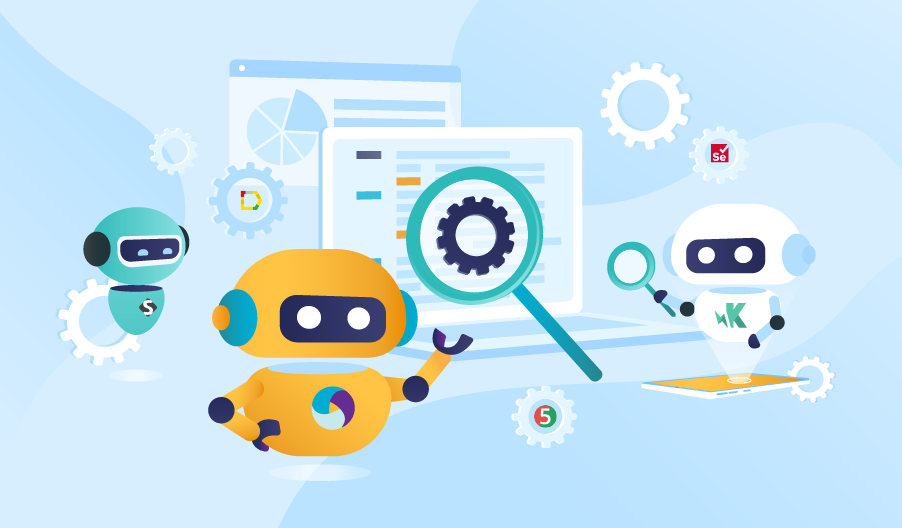
HERE ARE SEVERAL ADVANTAGES TO USING PLAYWRIGHT FOR AUTOMATED TESTING:

EASY TO USE

Playwright is designed to be easy to use and require minimal setup. It has a simple API that allows developers to write tests quickly, and it integrates with popular testing frameworks such as Mocha and Jest.

RELIABLE

Playwright is built on top of the Web Driver protocol, which is a widely-used standard for browser automation. This makes it a reliable tool that is less likely to break or produce false positives.

CROSS-BROWSER SUPPORT

Playwright can be used to test web applications running in popular browsers such as Chrome, Firefox, and Safari. This allows developers to ensure that their applications are working correctly across different browsers.

MULTI-PLATFORM SUPPORT

Playwright can be used on Windows, Mac, and Linux, which makes it a flexible tool that can be used by teams working on a variety of platforms.

PARALLEL TESTING

Playwright supports parallel testing, which means that developers can run multiple tests at the same time. This can speed up the testing process and make it more efficient.

WHILE PLAYWRIGHT HAS MANY ADVANTAGES, THERE ARE ALSO SOME POTENTIAL DRAWBACKS TO CONSIDER:

LEARNING CURVE

Like any new tool, there may be a learning curve associated with using Playwright. Developers will need to familiarize themselves with the API and how to write tests, which may require some time and effort.

LIMITED BROWSER SUPPORT

While Playwright supports popular browsers such as Chrome, Firefox, and Safari, it may not support every browser out there. This could limit its usefulness for some applications.

DEPENDENCE ON WEBDRIVER

Playwright is built on top of the Web Driver protocol, which means that it is dependent on the underlying implementation of the protocol in each browser. This can make it more difficult to troubleshoot issues that may arise.

LIMITATIONS OF AUTOMATED TESTING

Automated testing can be a useful tool, but it is not a substitute for manual testing. Automated tests may not be able to catch all issues, and it is important to supplement them with manual testing as well.

MAINTENANCE

Like any tool, Playwright requires maintenance and updates to continue working correctly. This may require ongoing effort to keep it running smoothly.

WHY & WHO SHOULD USE PLAYWRIGHT?

Playwright is a tool that can be useful for developers who are responsible for writing and maintaining web applications. It can be used to write automated tests that ensure that an application is functioning correctly, and it can be run on a regular basis to catch any regressions or issues that may arise.

There are several reasons why developers might choose to use Playwright

IMPROVED SOFTWARE QUALITY

Automated tests can help identify and fix issues in an application, which can improve its overall quality.

INCREASED EFFICIENCY

Automated tests can be run on a regular basis and can be run much faster than manual tests, which can save time and increase efficiency.

REDUCED COSTS

Automated tests can reduce the need for manual testing, which can save resources and reduce costs.

FASTER DEPLOYMENT

Automated tests can be run before an application is deployed, which can help catch issues before they are released to users.

IMPROVED COLLABORATION

Automated tests can be shared among team members, which can improve collaboration and ensure that everyone is working towards the same goals.

Overall, Playwright can be a useful tool for developers who want to improve the quality and efficiency of their web applications.

The Beginning of a Software Engagement

The beginning of anything is exciting and full of nervous energy. It’s the same when we start working with a new software client. It’s the same when you meet a new friend. It’s the same when you hire a new colleague.

I’m nervous. That’s kind of my consistent state when we start working with a new client. We’ve probably started with over 50 clients since we started 5 years ago. But I still get nervous at the beginning of the engagement, probably for the first month.

Like any relationship, we have to establish trust. New clients don’t trust us yet. They shouldn’t. And the beginning of a new relationship around software development there are always things that come up at the beginning. We’re learning about each other. That takes time.

I know this, but I still get nervous. Luckily we hire good talent that takes care of things. That helps me sleep at night.

So if we’re lucky to start working together, maybe you’ll feel our collective nervous energy over at Augment.

The Promise of AI

The promise of artificial intelligence is endless. Even Elon Musk is worried that it will take over the world.

We’re pumped for AI and what it can do. But for now, its capabilities are fairly limited. A 2 year old child is well beyond most AI capabilities.

Can you imagine trying to train a computer or robot to walk into a room, see a pile of blocks and know how to create a pyramid of blue blocks? Wowsers. This is nothing for a 2 year old to do. For a robot with AI, it’s state of the art. Many researchers are working on this.

I’ve interviewed a number of robotic professionals and researchers on our podcast: www.flyoverlabs.io.

Steve Cousins, CEO at Savioke – Interview

Julie Shah, Assistant Professor at MIT in the Department of Aeronautics and Astronautics – Interview

Robotics involve both AI and robotic manipulation so it’s much harder than just working with AI and data.

Let’s talk about AI and data. Probably the area where AI has had the most impact is computer vision systems. That problem is perfect for neural networks where each pixel can be easily represented in a neural network system. Computer vision capabilities around static images are pretty amazing.

Computer vision systems can now even label stuff in images. That’s impressive. But compared to human vision systems and maneuvering in our environment, AI computer vision is not good. In very structured environments like a warehouse it can work well.

Check out this podcast with Michtell Weiss, CTO at Seegrid. They have developed a system where forklifts can quickly navigate a manufacturing or warehouse space autonomously.

But it’s a very controlled environment where only so much changes in a day.

Compare that to autonomous cars. Autonomous cars must be able to respond to numerous new circumstances. That’s quite tough. It’s the situations like a kite floating across the street or a kid on a big wheel, that is very tough to account for.

And even training autonomous cars is easier than trying to train a new office manager who might help with 20 different things a day in the office. With autonomous vehicles, you have very few actions: turn the wheel; brake; accelerate. Also signal and some other stuff but the main actions are those three things. An AI can learn by just watching humans driving and adjusting their models accordingly. There is also a ton of programming that needs to happen beyond watching humans drive of course, especially for all of those edge cases like a bright light shining off of a train. I’d rather not run into a train, just saying.

Here’s a podcast on autonomous vehicles we did:

Karl Iagnemma, CEO and Co-Founder of nuTonomy – Interview

AI is awesome for very controlled situations like translation, analyzing large amounts of text for key identifiers, seeing patterns between data sets.

I’m excited for the day when AI can enter our environment even more. We’re getting there.

Growth Services

I love the idea of combining software development with business and product development in business to business industries. We see many companies that need software development support but also need help with business development. Every company needs help with sales.

Often the software and business development are closely connected. Business development helps define product development which defines software development. We have a lot of business development experience. And I like the firms that offer growth services. Growth is such an important and educational process for every company. Having an intimate partner like a software development firm as part of the growth process could really help create new products.

For many years, product development firms have largely helped with product definition, customer research and defining the experience. This is all upfront, very expensive work. What happens when the product starts to sell in the market? There is no feedback loop.

Pretend we’re helping a company that sells software to car dealerships. Upfront we could talk to the car dealerships to understand their needs, use cases. This will help define the product. Then we build it, test it and deploy it.

This is where the fun really begins – asking what the customer thinks of it. Rarely will the first iteration stand up perfectly against a client’s wishes. That’s OK. Think of your first generation product, or a major update, as a trial run.

Build it in a smart way by gathering qualitative and quantitative measures from the customer. Then build it. Then let’s see what the customer thinks.

This is classic lean startup methodology, nothing new here. What is a little different is including Augment in the sales process. A true partner model where we help build the software and work to sell it with you to clients.

We have a very good platform for reaching out to potential clients. Maybe we should test it out with our b to b clients. Could be fun, interesting, educational and rewarding for all.

How to Commercialize a Software Idea

So you have an idea for a software product. Now what? In this post, I focus on the initial research around the technology and idea. In the next blog post I’ll talk more about the user experience, marketing, design/development and working with strategic partners.

I often run into researchers who have a great idea and technology, but are not sure how to commercialize their idea. Let’s focus on software. Although, many of these projects also include hardware too.

There is no easy answer on how to commercialize. In general, it’s a lot harder, takes a lot longer and costs a lot more money than expected. That’s almost a given. And that’s the downside.
The upside is that creating and launching a new product is inspiring, fun and makes you feel alive. Like all the bloggers out there say, we were meant to create.

Let’s take a look at an example. Let’s say a researcher has trained a machine to understand exactly what food you’re eating based on a picture from a cell phone. This would be pretty cool. There are some apps out there that are trying to do this.

What would I do to understand the potential for this technology? These steps aren’t always in this exact order.

Search Google Play:

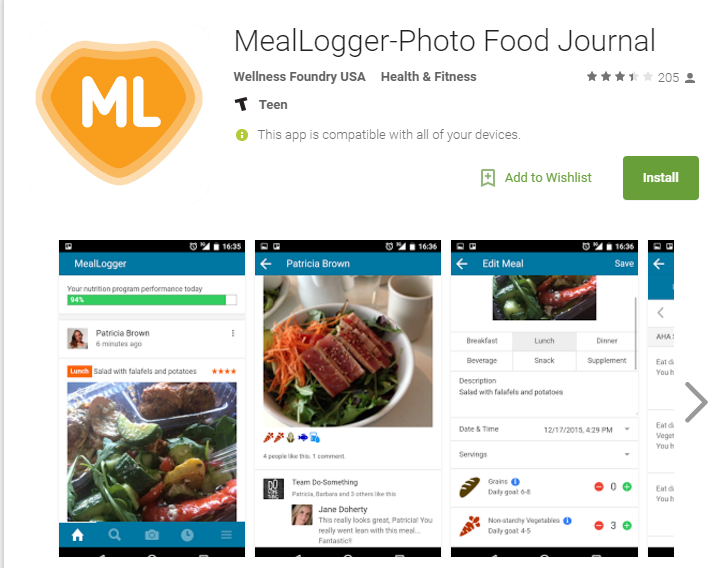
Search the google play store to see what apps are already out there. Here are a couple:

MealLogger
7 Day Food Journal
Neither of these looks like they’ve solved the image recognition problem.

Google Search for Competing Technologies:

Next I’d try different google search terms to try to find competing technology, for example: “phone app that recognizes food”.

Here are a couple of promising apps: SRI’s Food Recognition Technology and CamFind.

These apps look like direct competitors to our example technology, but they are not necessarily in commercial production. I would definitely download and try out the CamFind. It claims it can recognize anything. Recognizing is one thing but understanding portions of food on a plate is another.

Search Google Patents:

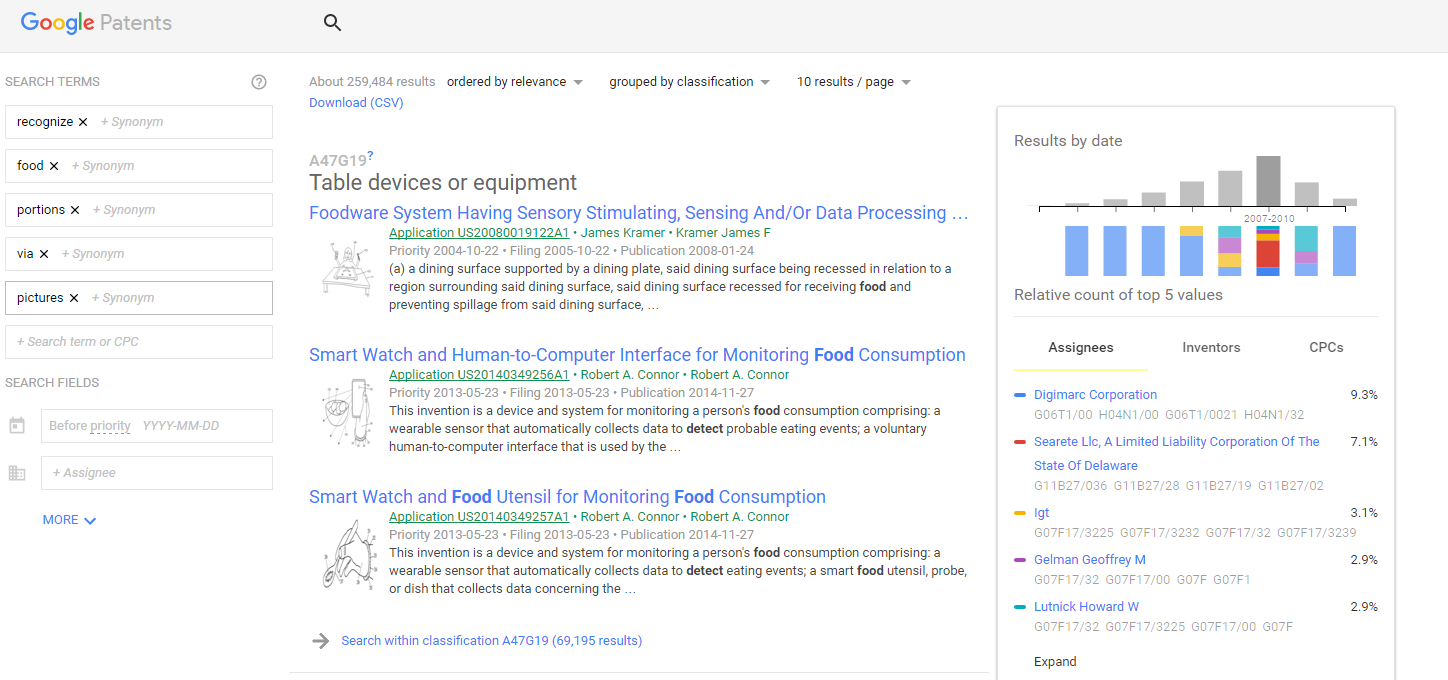
Then, I’d do a quick patent search on google patents. If I search for “recognize food portions” a whole mess of results comes up. It takes a lot of weeding through the results to find relevant patents. Once you find patents relevant to your idea, you can read the claims and see who filed the patent. That can lead you to other companies working on the same idea. Maybe a potential partner?

Searching patents can be intimidating. It will look like your exact idea is taken. As you dive deeper, you may realize there are nuances where your idea might be different.

When I searched for our example idea on Google Patents, not a lot of relevant results came up. Keep in mind this is just one search. It’s best to do multiple searches, refining the keywords, sifting through the results.

Google Patents Search

Ask the Experts:

Contact a few nutritionists to understand what is state-of-the-art for recognizing food portions. And do they think an idea like yours would be helpful. I would contact maybe 10 people, if possible. With follow-up emails, I would guess that three people would respond to you.

I’d compose the email like this:

Hi Jane,

I’m emailing you because you’re a nutritionist at Awesome Nutrition company. I’m curious about your opinion on a new technology we developed that measures food portions via a simple picture.

I know you’ve been a nutritionist for about 10 years. I’d love your opinion on our technology, and to better understand the food portion landscape better.

I’m also wondering if this idea would even be useful.

Thanks for your time.

Brainstorm:

Brainstorm names for the application, and ideas for how it would work. This helps to make the technology come alive. It will help you understand better what is needed from the marketing and user experience perspective.

Maybe we call our idea Portion Labs. Then check if portionlabs.io is available. Then I would think about what features would make this app super useful. And what features could also help market it. Why would a user send something to a friend? Of course it should have social tie ins. But what else? It would be nice to connect to a database to understand all the nutrients you’re getting, and what the recommended daily allowances are. Are you getting enough nutrients?

It could also be helpful to have a buddy option where you hold each other accountable for life. This isn’t a diet app, it’s a life changing food app. Over time users will understand portions better and may not need it.

In the next blog post I’ll talk more about how to think deeper about the user experience, marketing and finding strategic partners.

A Complete Product Team

A product team for hire. That’s what a lot of consulting firms offer. This includes the project manager, quality analysts, software developers, software architect/analyst, designer and potentially the product manager. Often the client will provide the product manager.

We’re working with some clients on this exact structure. It’s great. And the beauty of offshoring, besides saving money, is that you can scale faster. Talent is hard to find in the United States. It’s also hard in India but it’s a little easier.

So how does a product team work? It’s similar to how product teams work across Silicon Valley and both large and small companies. Let’s break down each of the roles.

Product Manager:

This is like the CEO of the product or project. They make the final decisions about design or functionality. Let’s use gmail as a product example. At google, I’m guessing they have a product manager in charge of gmail. They are responsible for the entire product. This includes the product development team and also sales/marketing.

The product manager manages the entire team. They lead the meetings and are ultimately responsible for the performance of gmail.

Project manager:

The project manager ensures things get done on time. They are also responsible for looking into the future and see what needs to be done now, what potential road blocks are there, what questions need to be answered now so that work isn’t slowed down.

They often have some technical know-how but that’s not always the case.

Quality Analysts:

QAs are responsible for testing the software. They’re a part of the regular meetings from day 1 because the QA will write and execute the test plans. If there is a bug in the program, the QA needs to find it.

Once the QA finds a bug, it’s added back as a task to be fixed in the next sprint, or sooner.

Software Developers:

And of course the software developers code the requirements. Often there are multiple developers on a product team. They’re assigned tasks by the project manager.

It’s important that the software developers understand the vision of the product and what each task means to the overall project.

Software architect/analyst:

The architect helps to define the requirements: what does the client want the product to do and technically how do we make that happen. For gmail, maybe we want to add a section for a calendar. If that’s the case, where will the calendar go (designer will help with this) and what functionality is needed?

Once the requirements are written for the calendar within gmail, then the developers code it and the QAs test it. Once the testing is done on the UAT server, the code is moved to the production server.

For a larger project, the architect will also write some overall project requirements around the code. The architect will design the database (sometimes a database designer does this) and establish security protocols and structure to ensure the product will be secure.

Designer:

The designer along with the product manager helps to set the vision for how the product will look. The designer will also be in charge of user experience (UX). A good designer helps set the tone for a project. They’re essential. Bad design will ruin products. It doesn’t matter how well a well a product is coded. If the design is off, it won’t work.

So that’s a brief overview of the product team. These teams are what create much of what we use every day: gmail, facebook (many product teams there of course), Amazon echo.