
Our Software Development Process: User Testing

February 12, 2016
This is another post in our series around the software development life cycle. Our previous post was on quality assurance (QA). Check out our other posts in the series: The Ideation Phase, Gathering Basic Requirements for a Proposal, The Proposal, Gathering Requirements, and Creating a Backlog and Planning Sprints.
This post is the next level of testing after QA: User Testing. After we do QA, we move that code from our dev server to our UAT (User Acceptance Testing) server. This is a very common path in software development.
With UAT, the user or client tests and tries to break the software product, website or mobile app. This means going through every routine action possible, including registering a new user, logging in, editing a profile, adding a comment, making sure the different admin levels work appropriately, etc.
A lot of bugs and issues should have been caught in the QA stage. But bugs are almost always caught in the UAT stage as well. It’s an important process to have the user/client make sure everything is working properly from their perspective.
UAT stage is also a time to fix anything before the code is moved to the live production server. This is the server that hosts the live site.
If the client decides they want to change the workflow or overall user experience in the UAT stage, it’s doable, , just more expensive. This is because a major change at this stage means rewriting a lot of the code and redesigning the architecture and database. If possible, it’s best to avoid this. This is why the early design and requirements stage is so important.
But it’s not the end of the world if major changes are wanted. We use agile, so it’s much easier to adapt and change than it is with a waterfall type approach.
Related posts

Four Common Roadblocks to Overcome when Building a Modular Data Platform
When selecting a data engineering partner, speed and lower cost may seem like the right choice, but what really counts is long-term performance. Speed and lower cost may seem like the right choice at the onset, but what counts is long-term performance. In order to avoid data platform pitfalls, it’s important to explore common challenges …

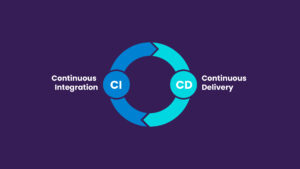
Curious about CI/CD… what it means and why you should care about it?
Augment’s got you covered! You may have heard the term “CI/CD” thrown around in software development discussions and internal meetings, but it’s not frequently discussed as to “why” it matters. CI/CD stands for Continuous Integration and Continuous Delivery (or Deployment, depending on the team). It is a set of practices that helps teams deliver code …

Introducing Auggy AI: A Conversational AI Assistant
Embracing AI sounds easy but it’s often hard to know what and how to implement AI. To that end, we built an internal custom AI assistant. Our AI assistant Auggy is built to respond accurately to questions regarding our internal policies, manage project tasks, and provide updates on JIRA, to create, and view events, allowing …